Fast introduction
Designed for a straightforward roll-out into existing lab processes – set up in five steps, with no project phase.
The efficient solution for structured, transparent and fully digital sample management in laboratories and testing facilities – it fits into your existing processes instead of replacing them.
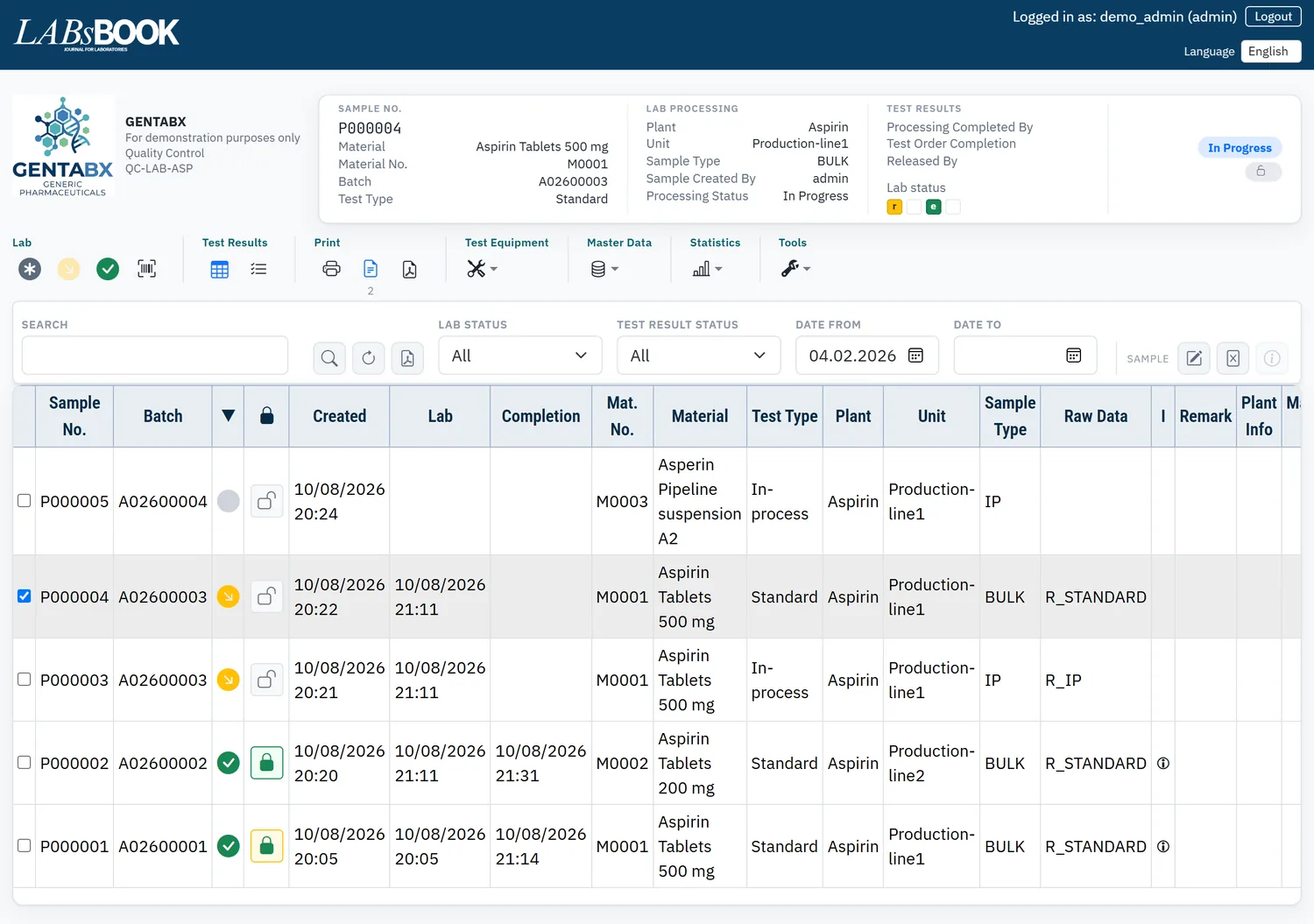
Many lab systems expect the lab to adapt to the system. LABsBOOK does it the other way round: it fits into almost any ongoing process – without interrupting work and without a long, costly implementation phase.
Designed for a straightforward roll-out into existing lab processes – set up in five steps, with no project phase.
Fits into your existing number ranges, forms and structures. Your controlled PDF raw data sheets stay in place.
Intuitive, well-structured operation – your staff need no lengthy training. All information at a glance.
Local PC, Linux server or hosting provider – depending on your technical requirements. Roles, audit trail, statistics tools and interfaces included.
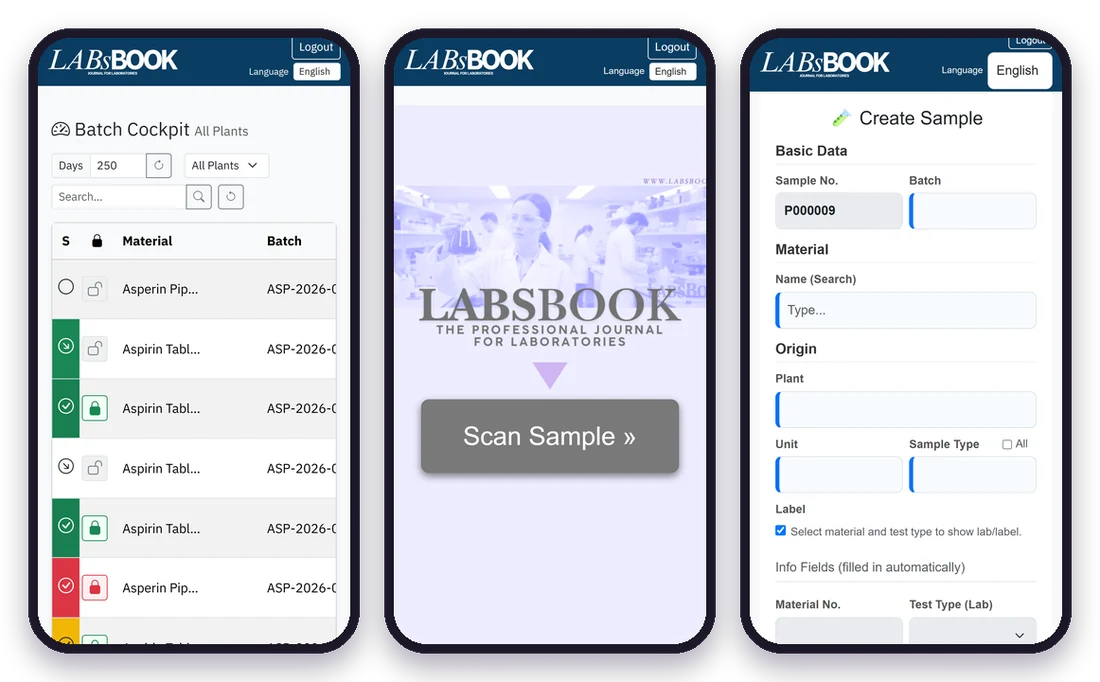
Mobile web apps, QR codes for samples and test equipment and direct scanning with a smartphone camera – no extra hardware.
Support is provided entirely online – internationally too. Interface and manual in Deutsch, English and Srpski.
General comparison of typical characteristics; details vary by vendor.
The digital lab journal – explained in a nutshell.
Video · 41 seconds · Download video (MP4, 15.7 MB)
Our system is based first and foremost on years of practical experience and the real requirements of lab staff with deep expertise.
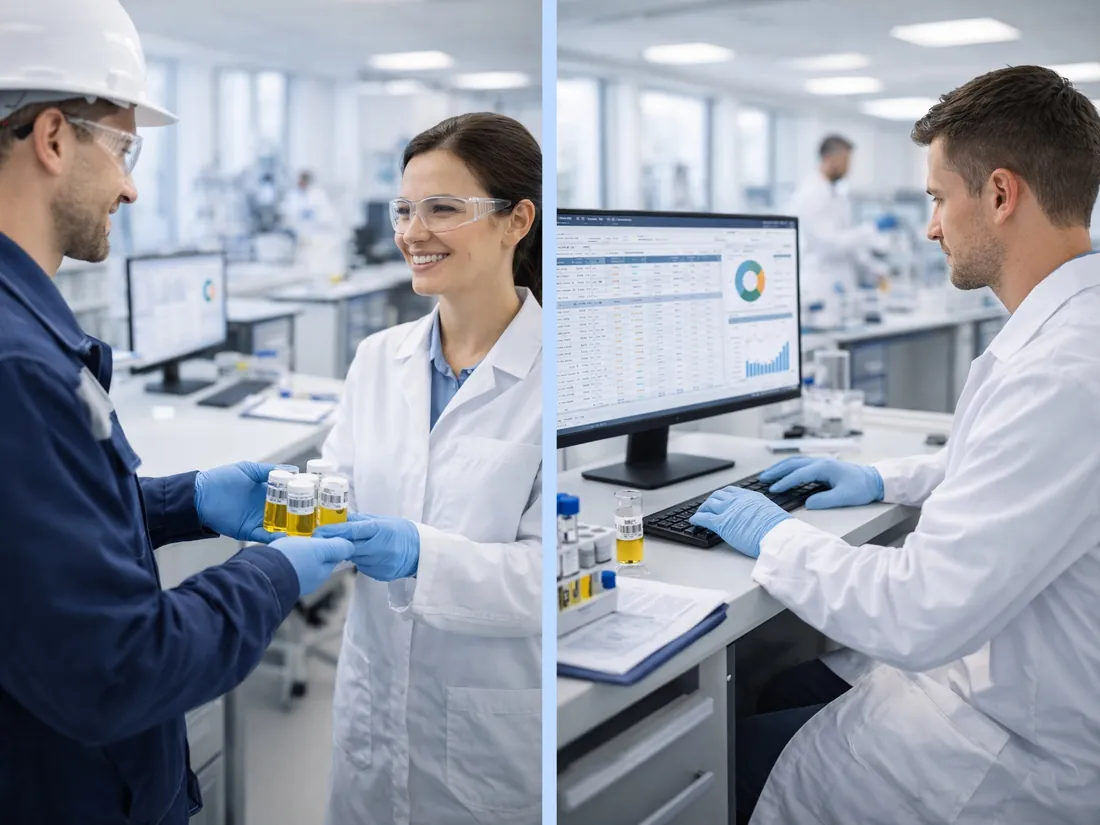
Experience in the fields of: Laboratory management / Quality assurance / Quality management / SAP-QM
Record batch, material and origin. Sample number and label with QR code are created automatically.
Scan the label – status “in progress” with timestamp. Print raw data sheets individually or in batches.
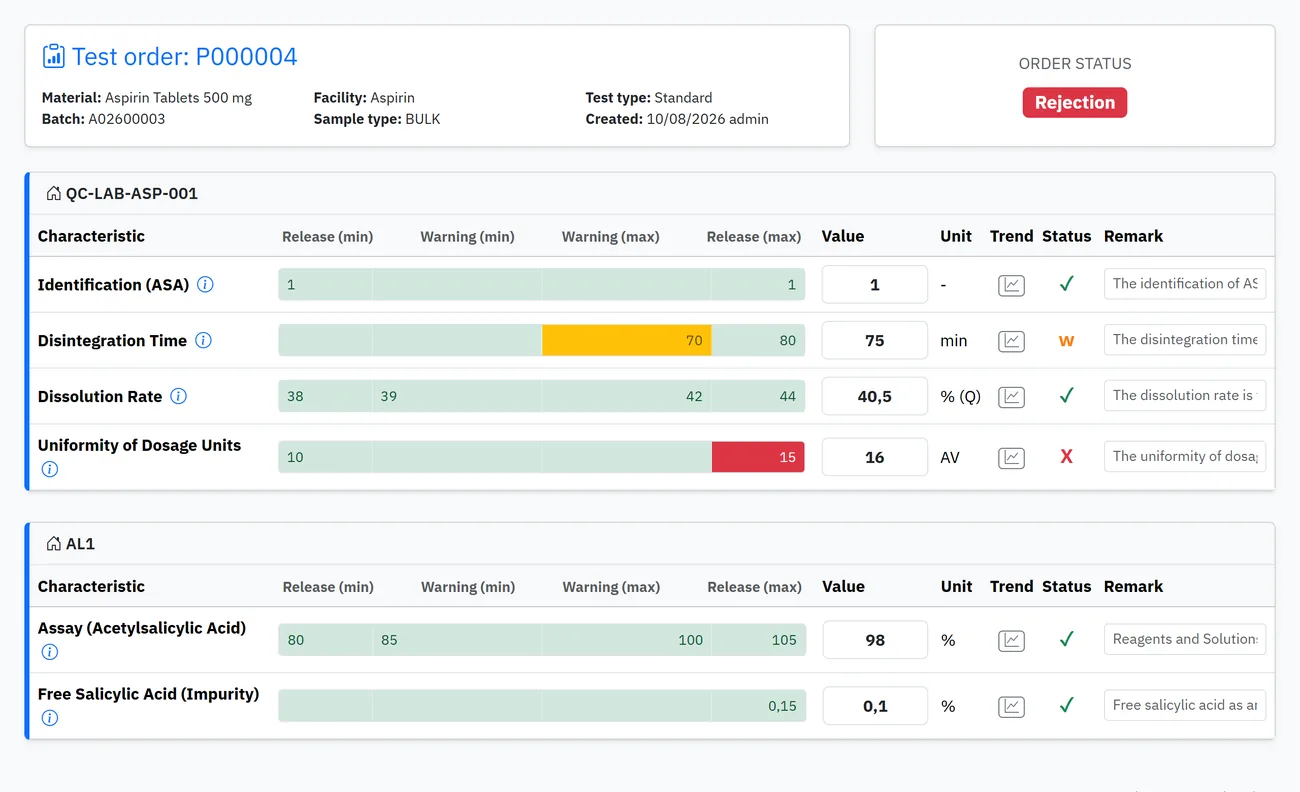
LABsBOOK shows immediately while you type whether a value fits – including a plausibility check.
Set the batch to released or blocked – the certificate of analysis is created automatically as a PDF.
From sample receipt to certificate of analysis – clear, traceable and shown with real screenshots from LABsBOOK 2.0.
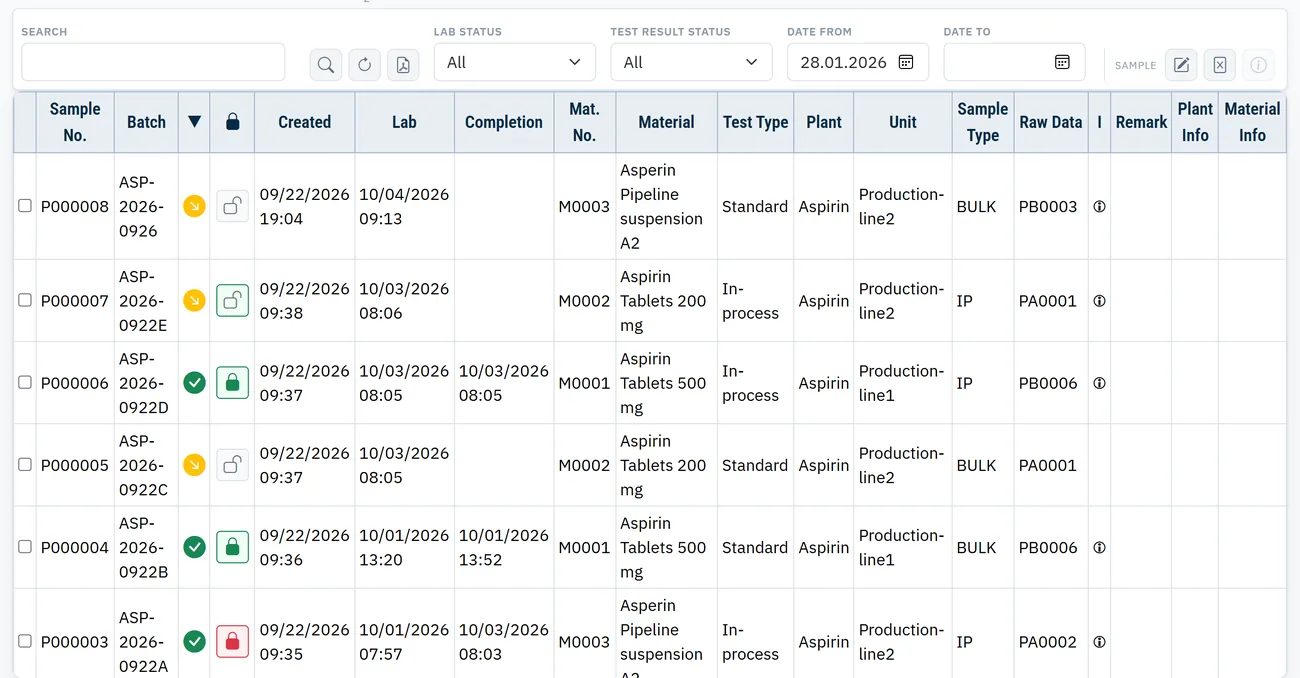
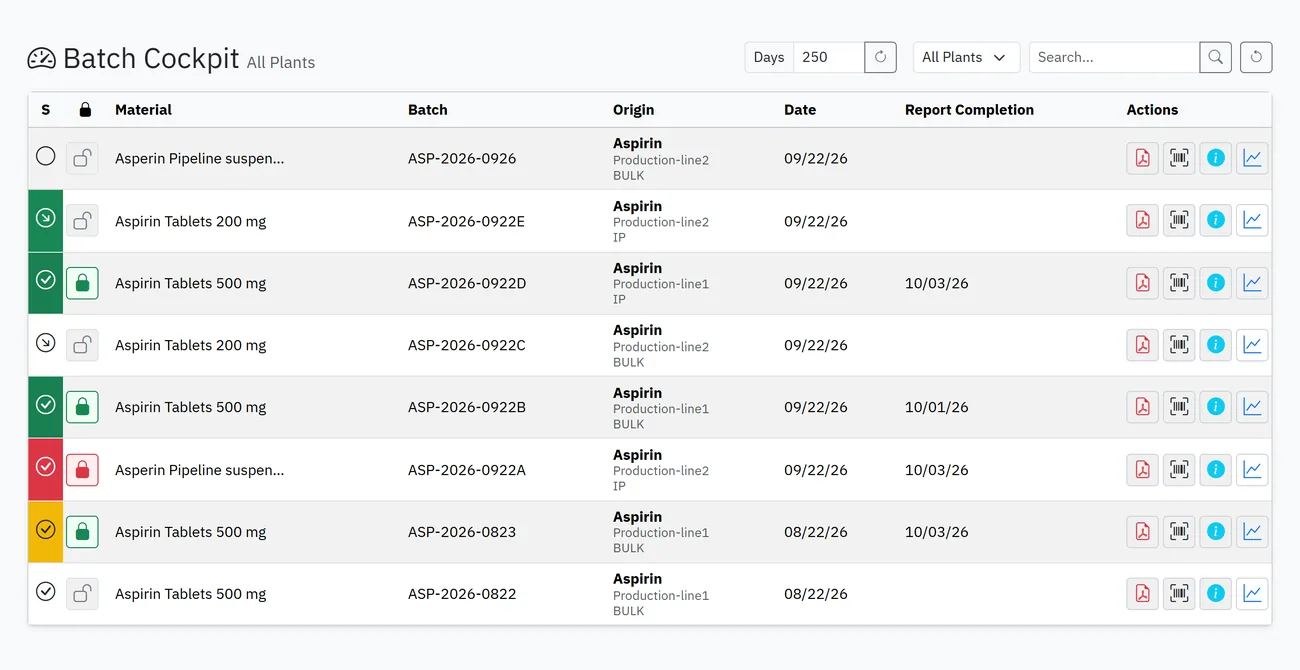
Two independent statuses per sample show immediately where the sample stands – and how the test results turned out.
Enter measured values – LABsBOOK evaluates them instantly, colours the limit bar and warns about implausible values.
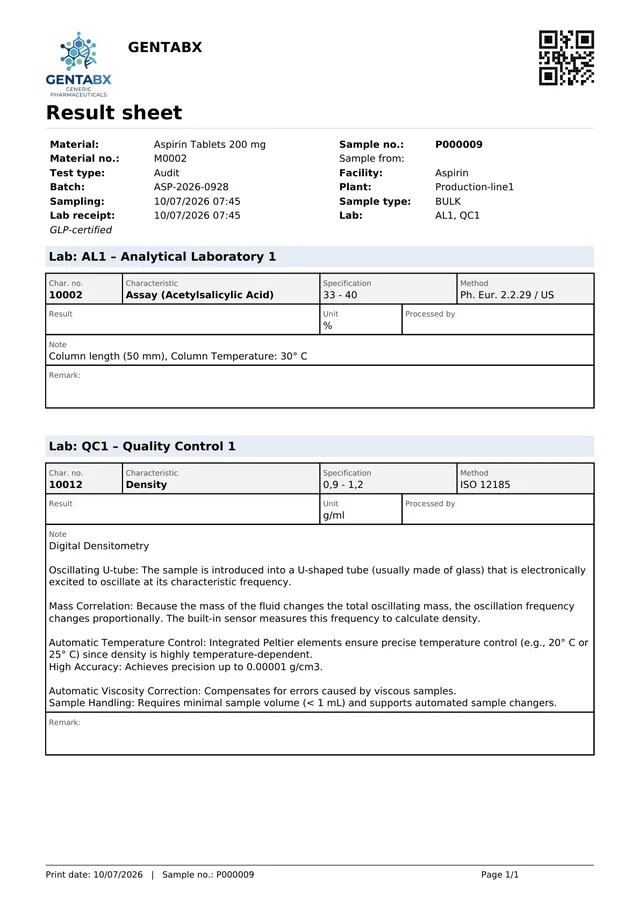
Sample data lands precisely on your own PDF form – or LABsBOOK generates the result sheet for you.
Plants and clients can see the status, test values and release of their batches at any time – on the desktop and on the smartphone.
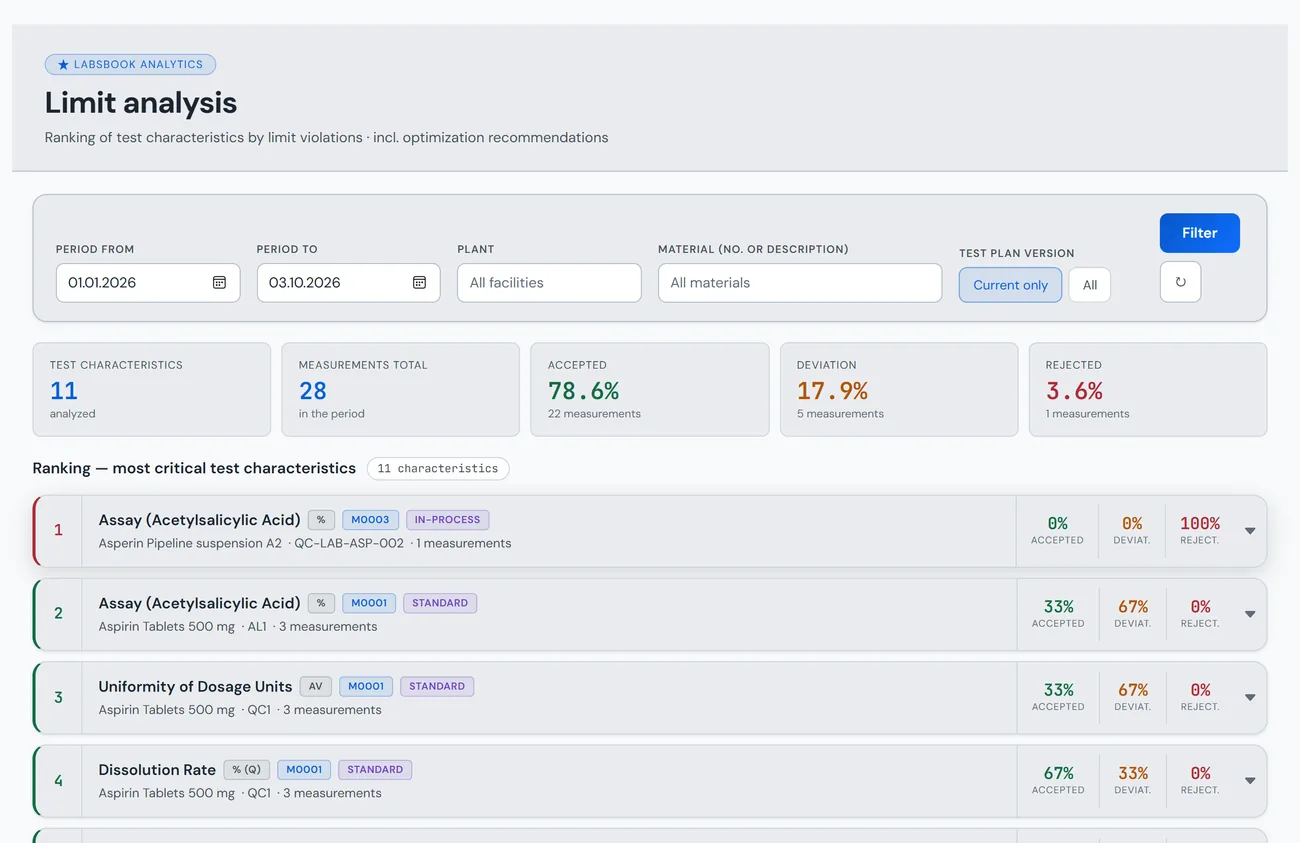
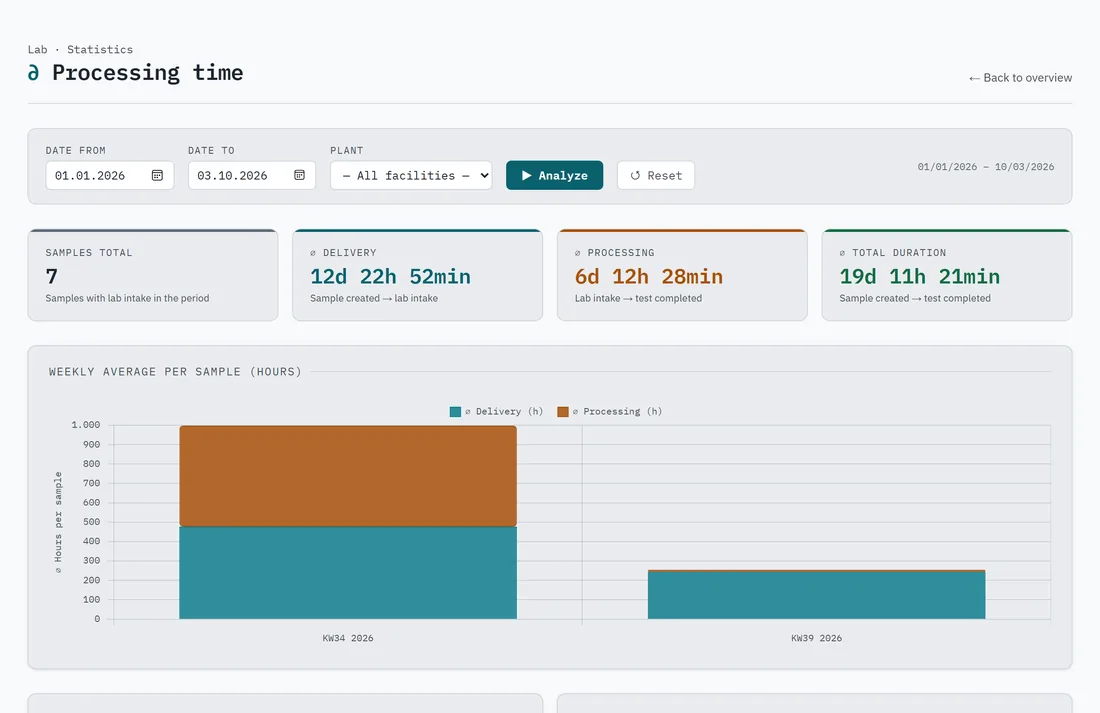
Evaluate results, limits and turnaround times – without manual Excel work.
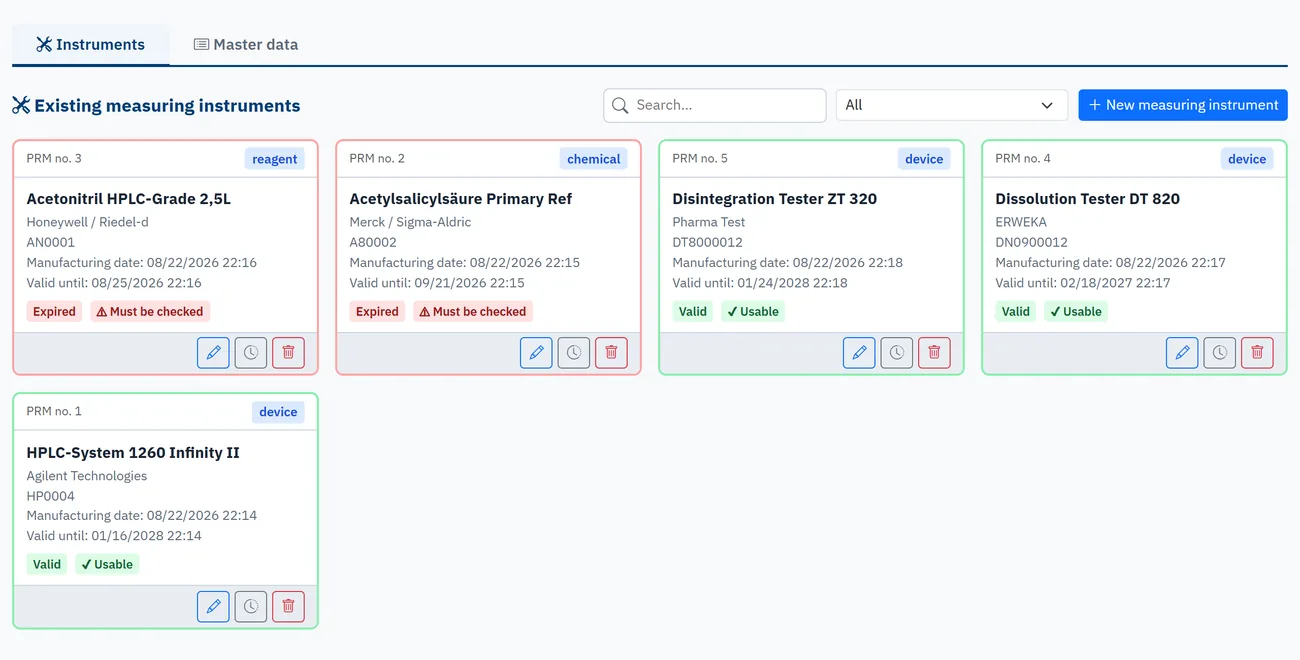
Manage, monitor and assign instruments, reagents and solutions to the sample – so it stays traceable what was used for testing.
Version 2.5 of the manual (October 2026) describes all new functions in detail.
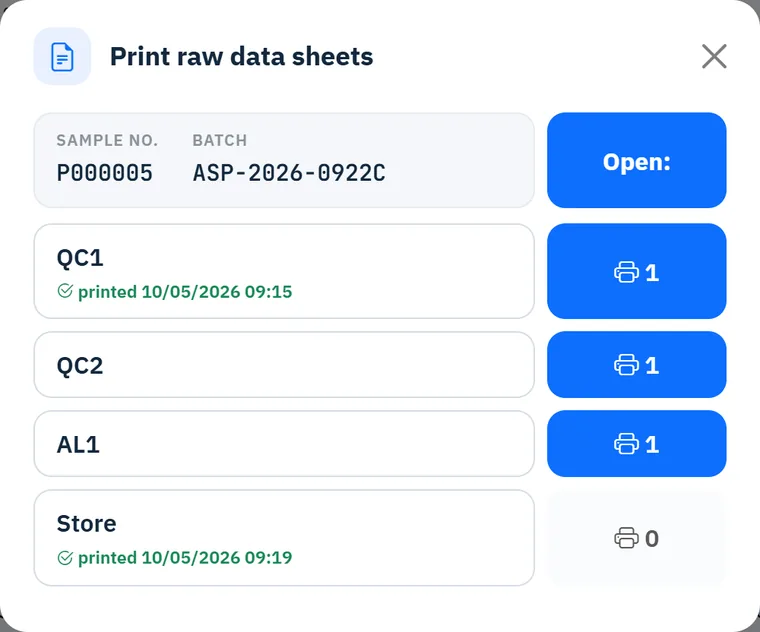
All open raw data sheets of a lab in one print job – ideal after checking in by QR scan.
Automatically generated form per sample with characteristics, method, specification and remark.
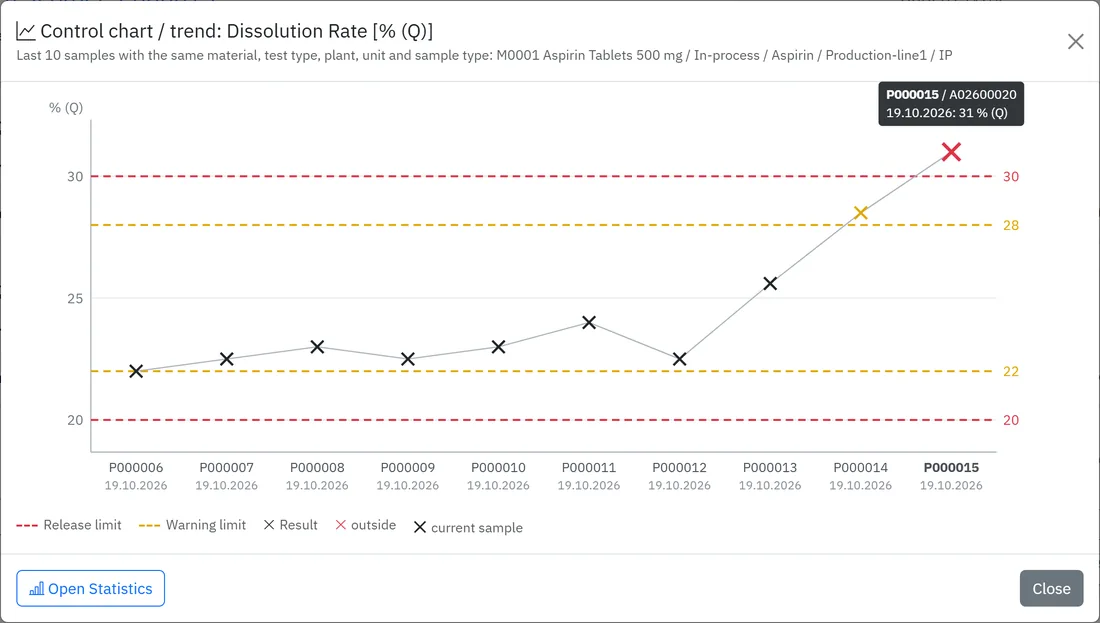
The last 10 results per characteristic with warning and release limits at a glance.
Visible per lab: label printed, raw data/result sheet printed, master data errors.
For a new sampling point, master data and test plan are conveniently created straight from a recorded sample.
Monitor shelf life and re-verification, assign equipment to the sample by smartphone.
Which characteristics often violate limits?
With optimisation suggestions for your test plans.
Turnaround times and cost accounting (test effort) as well as acceptance, deviation and rejection rates per period, plant and characteristic.
Every version is archived, test equipment sheet attachable, e-mail dispatch optional.

LABsBOOK was developed by practitioners who work to these standards themselves. The functions support seamless documentation.
Changes after the first completion are logged: time, user, field, old and new value – with audit PDF.
Creation, lab receipt and completion of every sample are documented with date and time.
Automatic evaluation plus a manual release decision (released/blocked) with optional justification.
If a test order is completed again, a new version is created – nothing is overwritten.
Four roles (betrieb, labor, master, admin) control who may see and change what.
Limits and characteristics are stored per material and test type in versioned test plans.
LABsBOOK supports your documentation and traceability requirements. Your lab’s conformity with GLP, DIN-ISO or ISO 17025 is assessed by you and your auditors.
LABsBOOK is provided individually according to your technical requirements – and can be connected to SAP if needed.
A quick LIMS is a laboratory information and management system that is ready to use without a long project phase and adapts to your workflows. LABsBOOK covers sample tracking, result entry with limit checks, release and certificates of analysis.
LABsBOOK is set up in five steps: users and roles, company and labs, master data (fastest with Turbo master data), test plans and raw data sheets, test sample. There is no long implementation phase.
No. LABsBOOK runs in the web browser. It is provided once on a local PC, a Linux server or with a hosting provider. The mobile web apps are installed via a link.
Yes. LABsBOOK prints the sample data precisely onto your existing PDF raw data sheets and fits into your number ranges and structures. Alternatively it generates a result sheet automatically.
LABsBOOK was developed by lab managers with experience in GLP, DIN-ISO and ISO 17025. Audit trail, timestamps, versioned certificates of analysis as well as roles and permissions support the required traceability.
Optionally yes (SAP/SAP HANA, SDI interface): when a test order is completed, LABsBOOK writes a file for the superordinate system. Fields, order and target path are configurable.
The interface and manual are available in Deutsch, English and Srpski. Support is provided entirely online.
Request non-binding online trial access on our servers – and see how quickly LABsBOOK fits into your lab processes.
User manual version 2.5 · October 2026